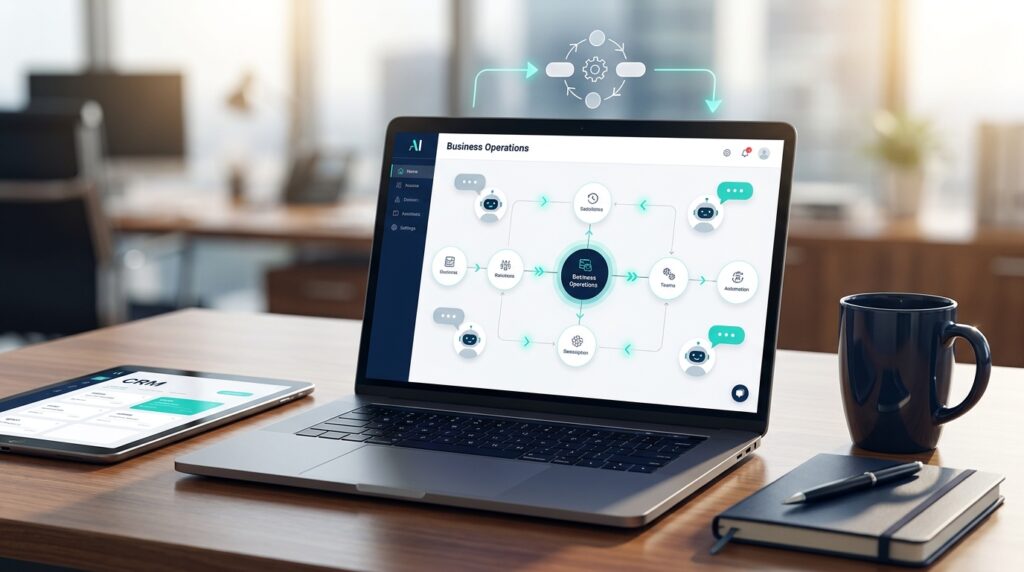
AI for nonprofits is no longer a futuristic boardroom topic. It is a practical way for lean teams to reduce admin drag, improve donor follow-up, summarize program data, and keep grant reporting from eating the week. The catch is that most nonprofits should not start by buying a giant platform or handing sensitive donor files to whatever tool is trending. The smarter move is to identify two or three repeatable workflows where AI can help staff move faster while keeping humans in charge of mission, relationships, and final decisions.
The search interest is real. Keywords Everywhere currently shows the focus keyword at roughly 720 monthly searches, up from earlier queue data, and the nonprofit sector is moving from curiosity into operational use. A 2026 Virtuous and Fundraising.AI benchmark reported that 92% of surveyed nonprofits were using AI in some capacity, but only 7% reported major strategic impact. That gap matters. It tells us that access to AI is not the advantage. Workflow design, clean data, governance, and staff adoption are the advantage.
This guide breaks down where AI creates real value for nonprofits, where it can create risk, and how a small organization can build a responsible automation stack without losing the human trust that makes nonprofit work possible.
AI for Nonprofits Starts With Staff Capacity
Most nonprofit teams do not have an ideas problem. They have a capacity problem. Development staff are chasing donors, program staff are documenting outcomes, leadership is preparing board reports, and everyone is trying to answer email between meetings. AI helps most when it removes low-value administrative friction from the work that already matters.
Our research shows that nonprofit AI projects usually work best when they are tied to a clear job: draft the first version of donor emails, summarize intake notes, classify support requests, turn survey responses into themes, or create a monthly report outline from approved metrics. These are not magic tricks. They are repeatable workflows where the machine can prepare, sort, summarize, or draft while a staff member reviews the output.
That distinction is important. AI should not replace judgment in donor stewardship, beneficiary support, grant strategy, or compliance decisions. It should compress the busywork around those decisions. If your staff spends five hours turning program notes into a board update, a well-built AI workflow might cut that to one hour. If your development associate writes every lapsed donor email from scratch, AI can generate a tested first draft, personalize by donor segment, and queue the message for review.
For teams still figuring out the basics, our guide to what AI consulting means for business owners explains how outside support can turn vague AI interest into specific operating improvements.
Best Use Cases for AI for Nonprofits
The strongest nonprofit AI use cases share three traits: the task repeats often, the input data is already available, and the final output can be reviewed by a person before it goes live. Here are the areas worth prioritizing first.
Donor follow-up and segmentation
Fundraising teams can use AI to sort donors into practical segments, draft thank-you messages, identify lapsed donors who need a personal touch, and suggest next-best actions based on giving history. The goal is not robotic personalization. The goal is to make sure the right donor gets the right human attention at the right time.
For example, a nonprofit could tag donors by recency, giving level, program interest, and event attendance. AI can then draft different outreach angles for monthly donors, first-time donors, major gift prospects, and supporters who have not given in 12 months. A staff member should still approve copy and decide which relationships need a call instead of an email.
Grant research and proposal support
AI can speed up grant work by summarizing funder priorities, extracting eligibility requirements, comparing a grant opportunity against program language, and drafting first-pass proposal sections from approved organizational materials. This is useful because grant writing often involves heavy reuse of mission language, outcomes, budgets, and program descriptions.
The risk is overclaiming. A grant application cannot include invented outcomes, inflated metrics, or generic impact language that does not match the nonprofit's actual work. AI can structure the draft, but the organization must verify every claim, number, and commitment before submission.
Program reporting and impact summaries
Small teams often collect useful data but struggle to turn it into clear reports. AI can summarize survey responses, cluster open-text feedback, draft board update narratives, and translate raw program metrics into plain-English insights. This is especially helpful when leadership needs to communicate impact to donors, foundations, volunteers, and community partners.
Keep sensitive participant data out of general-purpose tools unless your organization has reviewed the vendor terms, security controls, and privacy obligations. A safer workflow is to remove personally identifiable information, use aggregated data, and restrict AI access to approved source documents.

Volunteer coordination and operations
Volunteer-heavy organizations can use AI automation to match availability with shifts, draft event reminders, route questions, and generate post-event summaries. This is where a practical AI workflow automation approach becomes valuable. The nonprofit defines the rules, the system handles the repetitive routing, and a coordinator monitors exceptions.
Even a simple workflow can save time: form submission comes in, AI categorizes the volunteer's interest, the CRM updates the record, the volunteer receives the right orientation email, and staff get a weekly summary of new applicants. None of that requires a custom enterprise system on day one.
Website chat and intake
AI chatbots can answer common questions about programs, hours, eligibility, donations, volunteer requirements, and event logistics. For nonprofits, the key is guardrails. The chatbot should answer from approved website content, avoid legal or medical advice, and escalate sensitive situations to a human.
Our AI chatbot setup guide covers the same principle for business websites: constrain the bot to approved answers, track unanswered questions, and improve the knowledge base over time.
AI for Nonprofits Needs Governance Before Scale
The nonprofits that struggle with AI usually do not struggle because the tool is bad. They struggle because nobody defined the rules. Staff experiment in separate accounts, donor data gets copied into tools without review, outputs are used inconsistently, and leadership cannot tell which workflows are actually producing value.
A basic AI policy does not need to be 40 pages. It should answer a few concrete questions:
- What kinds of data may staff enter into AI tools?
- What information is restricted, such as donor records, health information, participant details, or confidential financials?
- Which outputs require human review before use?
- Which tools are approved for staff use?
- How will the organization check AI output for bias, accuracy, and tone?
- Who owns AI governance and vendor review?
Resources from groups like NTEN, Candid, GlobalGiving, and the National Council of Nonprofits all point in the same direction: nonprofits should use AI, but they need privacy, transparency, inclusion, and accountability built into the process. This is especially true for organizations working with vulnerable communities. The more sensitive the mission, the more careful the AI boundary should be.
Want a practical map of where AI belongs in your nonprofit? Book a Free Strategy Call and we will help identify the workflows worth automating first, the ones to avoid, and the guardrails your team needs before rollout.
Where AI Can Hurt Nonprofits
AI creates risk when teams use it as a shortcut for trust. Nonprofits are built on credibility. A donor, beneficiary, volunteer, foundation, or board member needs to believe that the organization handles information responsibly and tells the truth about impact. AI can damage that credibility if it is used carelessly.
Fabricated impact claims
Generative AI can write persuasive language even when the underlying facts are weak. That is dangerous in grant applications, annual reports, donor appeals, and program updates. Never let AI invent metrics, testimonials, community outcomes, partnerships, or case studies. If the data is not in your approved source material, it should not appear in the final copy.
Donor privacy mistakes
Donor data is sensitive. Giving history, names, contact information, wealth indicators, and personal notes should not be pasted into unapproved AI tools. If a team wants AI-powered donor insights, use a vendor with appropriate security terms or build a workflow that uses anonymized and aggregated data.
Bias in service delivery
AI can reproduce bias from the data, prompts, or systems around it. A nonprofit should be careful before using AI to prioritize services, score applicants, route benefits, screen volunteers, or make eligibility-related recommendations. Those use cases require extra review, documentation, and human oversight.
Over-automation of relationships
Automation can make a nonprofit more responsive, but it can also make supporters feel processed. Donor stewardship, beneficiary care, and community relationships need human moments. Use AI to prepare the next step, not to erase the human connection.

How to Implement AI for Nonprofits in 30 Days
A nonprofit does not need a massive transformation program to start. A focused 30-day pilot is usually enough to prove value, expose risks, and build staff confidence.
Week 1: Choose one measurable workflow
Pick one workflow that is repetitive, painful, and easy to measure. Good examples include donor thank-you drafts, volunteer intake routing, grant opportunity summaries, monthly program report summaries, or website FAQ responses. Avoid complex decision-making use cases at the beginning.
Define the baseline. How many hours does the workflow take now? How many people touch it? What errors or delays happen most often? What would a successful pilot improve?
Week 2: Clean the source material
AI quality depends on input quality. Gather the approved documents the workflow should use: mission language, program descriptions, donor tone guidelines, FAQs, grant boilerplate, impact metrics, and privacy rules. Remove outdated language and flag anything that cannot be used externally.
This is also the right time to define what the AI is not allowed to do. For example, it may draft donor emails but cannot send them. It may summarize survey results but cannot include names. It may answer program questions but must escalate eligibility issues.
Week 3: Build the first version
Start simple. Use a secure AI assistant, automation tool, CRM feature, or chatbot platform that fits the workflow. Connect only the minimum data needed. Write prompts and rules in plain English. Test with real examples, then compare output against staff expectations.
The first version should be boring and useful. If it saves three hours per week and creates no new risk, that is a strong first win.
Week 4: Measure, train, and decide
Measure the pilot against the baseline. Track time saved, output quality, staff feedback, donor or volunteer response, and any errors. Then decide whether to keep, revise, expand, or shut down the workflow. A failed pilot is not a disaster if it teaches the team where AI does not belong.
If the workflow works, document it. Staff should know the purpose, source material, review steps, restricted data, escalation path, and owner. That documentation turns a one-off experiment into an operating asset.
What Tools Should Nonprofits Consider?
The right AI stack depends on the nonprofit's size, systems, data sensitivity, and budget. In most cases, the stack falls into four layers.
General AI assistants help with drafting, summarizing, research, meeting notes, and internal planning. These are useful for staff productivity but require clear data rules.
CRM and fundraising AI features help with donor segmentation, predictive insights, campaign timing, and engagement scoring. These can be powerful because they work closer to the donor data already inside the fundraising system.
Automation platforms connect forms, email, spreadsheets, CRMs, calendars, and reporting tools. This is where nonprofits can remove manual handoffs without replacing existing systems.
Chatbots and knowledge assistants answer repeat questions from donors, volunteers, program participants, or staff. They should be trained on approved content and monitored closely.
Avoid tool sprawl. One approved assistant, one automation layer, and one documented pilot will usually beat ten disconnected AI subscriptions.
The Bottom Line on AI for Nonprofits
AI for nonprofits is not about replacing staff or turning mission work into software. It is about giving stretched teams more capacity to do the work humans should be doing: building trust, serving communities, stewarding donors, and making better decisions.
The winning pattern is clear. Start with a painful workflow. Use approved source material. Keep sensitive data protected. Put humans in the review loop. Measure the result. Then scale only what works.
If your nonprofit wants AI that saves time without creating governance problems, Book a Free Strategy Call. We can help map your highest-value workflows, design a responsible pilot, and build automation your staff will actually use.