
If you are asking how to implement ai in small business operations without wasting money or overwhelming your team, you are not behind. You are right on time. Our research shows adoption is rising fast, but most owners still want a clear, low-risk starting point. The U.S. Chamber of Commerce reports that 58% of small businesses used AI in 2025, up from 40% in 2024 and 23% in 2023. Intuit QuickBooks found that 68% of U.S. small businesses were regularly using AI by April 2025, up from 48% in July 2024. The trend is clear, but success depends less on buying tools and more on choosing the right first workflows.
This guide gives you a practical framework built for teams of 5 to 50 employees. No hype. No technical jargon. Just a sequence you can execute this quarter, plus benchmarks so you can measure whether AI is actually helping your business.
Why most small businesses struggle to implement AI
Most small business AI efforts fail for simple reasons, not technical reasons. The data suggests three patterns come up again and again.

1) They start with tools instead of business problems
Owners see dozens of AI tools and subscribe before defining the result they need. That creates scattered experiments with no clear return. A better approach is to pick one expensive, repetitive process and improve that first.
2) They chase broad transformation too early
Many teams try to apply AI across marketing, operations, support, and finance at once. That spreads attention thin and makes results hard to track. Based on Microsoft and LinkedIn's 2024 Work Trend Index, AI usage surged quickly among knowledge workers, but the biggest gains came from consistent daily use tied to specific tasks, not random use.
3) They skip readiness checks
AI output quality depends on your inputs: process clarity, data quality, and team habits. If your handoffs are messy now, AI can scale that mess. Before rollout, map current workflows and identify where delays, rework, and manual copying happen. If you need a structured way to do that, start with this AI readiness checklist.
4) They do not define success metrics
If your goal is "use AI more," you cannot manage performance. If your goal is "reduce proposal drafting time from 3 hours to 90 minutes," you can measure progress weekly and decide whether to expand or stop.
How to implement AI in small business: a step-by-step framework
Here is a practical sequence for owners who want predictable outcomes. This is the core of how to implement ai in small business settings without creating disruption.
Step 1: Choose one high-friction workflow
Pick a process with all three characteristics:
- High frequency (happens daily or weekly)
- Clear owner (one person or team is accountable)
- Visible cost (time, errors, delay, or missed revenue)
Good examples include drafting sales follow-ups, answering repetitive support questions, summarizing meeting notes into action items, and building first drafts of marketing content.
Step 2: Baseline the current process
Capture your starting point before using AI:
- Cycle time per task
- Weekly volume
- Error or rework rate
- Cost in labor hours
Without a baseline, you cannot prove ROI. With a baseline, even modest improvements become obvious to your team.
Step 3: Select one primary tool and one integration layer
For most SMBs, one core assistant plus one automation connector is enough at first. Keep your stack simple. Complexity is the enemy of adoption.
Step 4: Build a pilot with a 30-day scope
Create one documented process:
- Input template (what data goes in)
- Prompt template (what instructions the AI follows)
- Output standard (what good looks like)
- Human review rule (who approves before sending/publishing)
This is where most momentum is won. Teams need repeatable patterns, not clever one-off prompts.
Step 5: Train by role, not by tool
Do not run generic "AI 101" sessions and expect behavior change. Train each role on their exact workflow. For example, teach your support lead a response-drafting workflow and teach your operations manager an intake-summary workflow. Adoption rises when training maps to daily work.
Ready to implement AI in your business?
We'll map out your first three AI wins in a free 30-minute strategy call.
Step 6: Measure weekly and adjust fast
Review pilot metrics every week. Keep a simple scorecard:
- Hours saved
- Output quality
- Team adoption rate
- Revenue or margin impact where relevant
According to Intuit QuickBooks (2025), 74% of AI-using SMBs reported increased productivity, up from 46% in 2024. The takeaway is not that every tool works. The takeaway is that disciplined implementation improves outcomes.
Step 7: Expand only after one workflow is stable
After 30 days, decide with evidence:
- If results are strong, expand to a second workflow
- If results are mixed, fix process design before scaling
- If results are weak, stop and re-scope
This protects budget and keeps trust high across your team.
For a deeper look at linking tools and handoffs, this guide on AI workflow automation walks through practical automation patterns.
The best AI tools to implement AI in small business
You do not need ten platforms. You need the right categories for your first use cases. Based on current SMB usage patterns, these are the most practical starting points.
1) General assistant and content support
- ChatGPT for drafting, summarizing, ideation, and SOP creation
- Google Gemini for research support, summarization, and writing assistance
Best for owners and managers who need faster thinking and drafting across multiple functions.
2) Marketing and sales workflows
- HubSpot AI features for email drafts, lead enrichment, and CRM productivity
- Salesforce AI capabilities for lead prioritization and service workflows in teams already on Salesforce
Intuit QuickBooks (2025) reports marketing as the top AI use case among SMBs at 43%, which matches what we see in execution plans.
3) Customer service
- AI-assisted response drafting in your existing helpdesk
- Knowledge-base search assistants for faster first responses
QuickBooks data puts customer service near the top of SMB use cases at 36%. This is often a high-impact place to start because ticket volume is steady and outcomes are measurable.
4) Finance and admin operations
- QuickBooks AI features for categorization, invoice support, and financial summaries
- Document AI for intake, extraction, and standardized summaries
Administrative work is one of the most practical implementation areas because repetitive formatting and data movement are common in small teams.
5) Automation layer
- Zapier or similar connectors to move data between forms, CRM, email, and task systems
This is often where the compounding value appears. A strong prompt can save minutes. A connected workflow can save hours every week.
If you are weighing whether AI workflows are enough or you need fully tailored software, review this breakdown of AI implementation vs custom software before committing budget.
Common mistakes when implementing AI
Small businesses usually do not fail because AI is too complex. They fail because rollout decisions are rushed. Here are the mistakes to avoid.
Trying to automate broken workflows
If your process has unclear ownership, inconsistent inputs, or frequent exceptions, AI will not fix that by itself. Clean up the workflow first, then add AI.
Ignoring data and privacy rules
Set clear rules for what employees can paste into AI tools. Customer data, pricing strategy, and legal documents require strict handling. Create an approved-tools list and a simple acceptable-use policy before broad access.
No human review on external outputs
AI can draft quickly, but factual errors still happen. Keep human approval for anything client-facing, financial, legal, or brand-critical.
Overpaying for overlapping tools
Many businesses buy multiple subscriptions that solve the same problem. Run a 60-day software audit: cancel tools with low adoption and duplicate functionality.
Underinvesting in change management
People do not resist AI because they dislike efficiency. They resist unclear expectations. Explain what changes, what stays manual, and how success will be measured. Give teams ownership in pilot design so they trust the process.
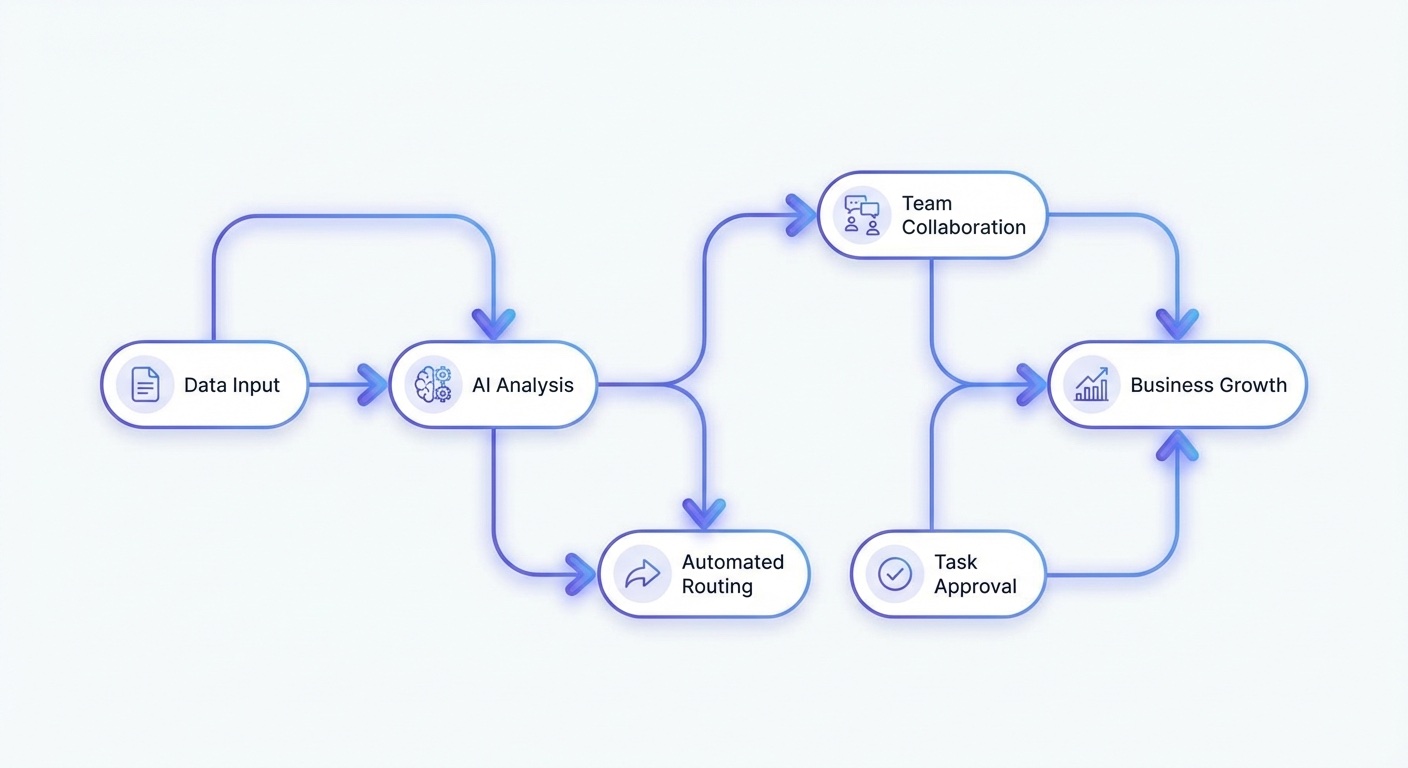
What to expect in your first 90 days
A realistic timeline keeps expectations grounded and prevents early abandonment.
Days 1-30: Discovery and pilot design
- Select one workflow
- Document baseline metrics
- Choose tool stack
- Launch a controlled pilot
Primary goal: prove that one AI-assisted process can run consistently with acceptable quality.
Days 31-60: Stabilization and team adoption
- Refine prompts and templates
- Improve review checklists
- Train by role with real tasks
- Track weekly performance scorecard
Primary goal: reduce rework and increase confidence. Based on the 2024 Work Trend Index, frequent users create more value than occasional users, so consistency matters more than novelty.
Days 61-90: Scale decisions
- Compare pilot metrics to baseline
- Estimate cost savings and throughput gains
- Choose next workflow to expand
- Formalize policy, governance, and ownership
Primary goal: make a data-backed decision about expansion. You should know whether AI is improving speed, quality, or both.
How to calculate first-phase ROI
Use a simple formula. Tracking this from day one gives you objective evidence to share with partners, investors, or department heads when expanding the program.
ROI = (hours saved x loaded hourly rate) - monthly AI tool cost - implementation time cost
For example, if a team saves 35 hours per month at an average loaded rate of $45/hour, that is $1,575 in monthly time value. Subtract tool and implementation costs to determine net impact. This keeps decisions financial, not emotional.
Our research shows businesses that win in the first 90 days keep scope narrow, measure outcomes weekly, and expand only after one workflow is stable. That approach builds confidence across leadership and staff.
AI adoption is accelerating across small businesses, but acceleration alone does not create results. Implementation quality does. If you start with one clear process, one owner, and one scorecard, you will have a reliable base to scale from.
Ready to implement AI in your business?
We'll map out your first three AI wins in a free 30-minute strategy call.