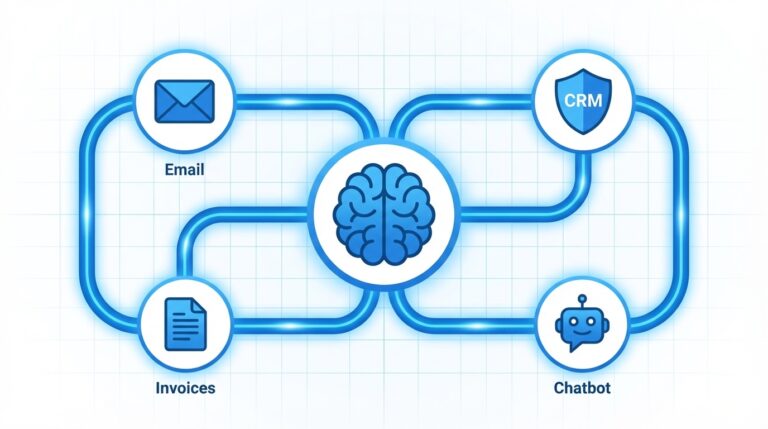
We get this question at least once a week: "What AI tools should I actually be using?" Usually it comes from a business owner who Googled "AI for small business," got hit with a wall of 47 tools, 12 listicles, and a bunch of hype, and walked away more confused than before.
So here's our honest list. These are the 12 tools we actually recommend to our clients across Southern California. Not because they're trendy or because someone paid us to say it. Because we've seen them save real time and real money for businesses with 2 to 50 employees.
For each tool, we're giving you: what it does, what it costs, who it's best for, and a straight take on whether it's worth it.
1. ChatGPT (by OpenAI)
What it does: General-purpose AI assistant for writing, brainstorming, data analysis, code generation, image creation, and research. The Swiss army knife of AI tools.
Pricing:
- Free: GPT-4o mini access with limited usage
- Plus: $20 per month (GPT-4o, image generation, file uploads, custom GPTs)
- Team: $30 per user per month (shared workspace, admin controls)
Best for: Every small business. Seriously. If you're only going to try one AI tool, make it this one.
Our take: ChatGPT Plus is the single best $20 a month any business owner can spend on AI right now. We use it daily, and we set up custom GPTs for clients to handle everything from writing product descriptions to analyzing customer feedback. The Team plan is worth it once you have 3 or more people using it regularly.
2. Claude (by Anthropic)
What it does: AI assistant similar to ChatGPT but with a different approach. Particularly strong at long-form writing, document analysis, and nuanced reasoning. Some businesses even run Claude as a full-time AI personal assistant for daily operations. Handles large documents (up to 200K tokens) better than most competitors.
Pricing:
- Free: Limited Claude Sonnet access
- Pro: $20 per month (Claude Sonnet and Opus, priority access, Projects feature)
- Team: $30 per user per month (shared projects, admin tools)
Best for: Businesses that work with long documents, contracts, reports, or need high-quality writing. Especially useful for professional services, legal, and consulting firms.
Our take: Claude is our preferred tool for anything involving long documents or complex writing tasks. If you need to analyze a 50-page contract, summarize a quarter's worth of meeting notes, or write a detailed proposal, Claude handles it better than most alternatives. It's not an either/or choice with ChatGPT. Many of our clients use both.
Not sure where to start with AI?
Our free strategy session breaks down exactly which tools and workflows will save you the most time. No pitch, just a plan.
For marketing-specific tools, see our roundup of AI marketing tools for small business.
3. Zapier
What it does: Connects your apps and automates workflows. When something happens in one app, Zapier triggers actions in other apps. Over 7,000 integrations.
Pricing:
- Free: 100 tasks per month, 5 Zaps
- Professional: $19.99 per month for 750 tasks
- Team: $69 per month (billed annually), 25 users
- Team: $103.50 per month with shared workspace
Best for: Any business that manually moves data between apps, sends repetitive emails, or follows the same process for every new lead/customer/order.
Our take: Zapier is usually the first automation tool we implement for clients. It's the easiest to learn, has the most integrations, and the template library gets you running fast. The free plan is too limited for real business use, but the Starter plan is a solid entry point. One well-built Zap can save you 5 to 10 hours per month.
4. Notion AI
What it does: Notion is already a popular workspace for notes, docs, wikis, and project management. Notion AI adds an AI layer on top: it can write, summarize, translate, brainstorm, and answer questions about your workspace content.
Pricing:
- Notion Free: Basic workspace with limited blocks
- Notion Plus: $12 per user per month
- Notion AI add-on: $10 per user per month (on top of your Notion plan)
Best for: Businesses already using Notion (or looking for a combined workspace and AI tool). Great for teams that want AI embedded in their documentation and project management rather than as a separate tool.
Our take: If your team already lives in Notion, the AI add-on is an easy yes. Being able to ask questions about your company wiki, generate summaries of meeting notes, and draft documents without leaving Notion is a real productivity boost. If you're not already a Notion user, though, the learning curve of Notion plus the AI add-on might be too much at once. Start with ChatGPT and consider Notion later.
5. Jasper
What it does: AI content creation platform built specifically for marketing. Generates blog posts, ads, social media content, email copy, and more. Offers brand voice settings and marketing-specific templates.
Pricing:
- Creator: $49 per month (1 user, 1 brand voice)
- Pro: $69 per month (up to 5 users, 3 brand voices, SEO mode)
- Business: Custom pricing
Best for: Marketing teams or businesses that produce a high volume of marketing content. Agencies managing multiple brands.
Our take: Jasper was one of the first AI writing tools, and it's still solid for marketing-specific content. The brand voice feature is genuinely useful if you need consistent tone across multiple writers. That said, at $49 to $69 per month, it's hard to justify over ChatGPT Plus at $20 unless you're creating a very high volume of marketing content. For most small businesses, ChatGPT handles the same tasks at a lower price point. Jasper earns its place when you need team collaboration on branded content.
6. Midjourney
What it does: AI image generation. Creates high-quality images from text descriptions. Particularly strong with artistic, photorealistic, and branded imagery.
Pricing:
- Basic: $10 per month (3.3 hours of GPU time, roughly 200 images)
- Standard: $30 per month (15 hours of GPU time)
- Pro: $50 per month (30 hours of GPU time, stealth mode)
Best for: Businesses that need custom visuals for social media, marketing materials, product mockups, or branding. Restaurants, retail, real estate, and any visually-driven business.
Our take: Midjourney produces genuinely impressive images, and for businesses that previously spent $200 to $500 per stock photo session or graphic design project, $10 to $30 per month is a bargain. The catch: it takes practice to write good prompts, and it currently runs through Discord, which feels clunky for business use. A web interface is available now, but Discord remains the power-user choice. Worth it if you need custom visuals regularly.
7. Otter.ai
What it does: AI-powered meeting transcription and note-taking. Records, transcribes, and summarizes meetings in real time. Integrates with Zoom, Google Meet, and Microsoft Teams.
Pricing:
- Free: 300 minutes per month, 30-minute limit per conversation
- Pro: $16.99 per user per month (1,200 minutes, 90-minute limit)
- Business: $30 per user per month (6,000 minutes, 4-hour limit)
Best for: Any business that runs regular meetings and wants automatic notes, summaries, and action items. Consultants, agencies, and service businesses that need to document client conversations.
Our take: Otter.ai is one of those tools that seems minor until you use it. Then you wonder how you survived without it. The transcription accuracy is solid (about 90 to 95% for clear audio), and the automatic summary feature saves 15 to 30 minutes per meeting. The free plan is generous enough to test it properly. If you have more than 3 meetings per week, the Pro plan is worth every cent.
Want to see what AI can do for your business?
Before buying tools, check if your business is ready. Take our AI readiness checklist or read about AI consulting costs if you want expert help choosing.
Book a free strategy session. We will identify your top 3 automation opportunities and give you a clear action plan.
8. Fireflies.ai
What it does: Meeting assistant that records, transcribes, and analyzes conversations. Offers topic tracking, sentiment analysis, and CRM integration. Automatically logs meeting notes to your CRM.
Pricing:
- Free: Unlimited transcription, 800 minutes storage
- Pro: $18 per user per month (unlimited storage, AI-generated summaries)
- Business: $29 per user per month (conversation intelligence, CRM integrations)
Best for: Sales teams that need meeting notes synced to their CRM. Businesses that want deeper analytics on conversations, not just transcripts.
Our take: Fireflies competes directly with Otter.ai, and the choice often comes down to what you need beyond transcription. If you just need accurate transcripts and summaries, Otter is slightly better. If you want conversation analytics, CRM integration, and the ability to search across all your meetings by topic or keyword, Fireflies pulls ahead. The CRM sync alone can save a salesperson 30 minutes per day of manual note entry.
9. HubSpot AI
What it does: AI features built into HubSpot's CRM platform. Includes AI email writer, content assistant, predictive lead scoring, chatbot builder, and AI-powered reporting.
Pricing:
- HubSpot Free CRM: $0 (includes basic AI features)
- Starter: $20 per month per seat
- Professional: $890 per month (includes advanced AI)
- Enterprise: $3,600 per month
Best for: Businesses already using HubSpot or looking for an all-in-one CRM with AI baked in. Companies with a sales team that needs lead scoring and pipeline management.
Our take: HubSpot's free CRM is genuinely free and genuinely useful. The AI email writer and basic chatbot are included. For small businesses just starting with CRM, it's a great entry point. The jump from Starter ($20) to Professional ($890) is steep, though, and that's where the really powerful AI features live. Our recommendation: start with the free tier, add AI tools like ChatGPT alongside it, and only upgrade to Professional when your sales team outgrows the basics.
10. Canva AI (Magic Studio)
What it does: AI-powered design tools within Canva. Includes Magic Write (AI text generation), Magic Design (auto-generates designs from prompts), Magic Eraser (removes objects from photos), and text-to-image generation.
Pricing:
- Free: Limited AI features (some Magic Write uses, basic Magic Design)
- Pro: $15 per month per person (full Magic Studio access, 500 AI image generations per month)
- Teams: $10 per person per month (minimum 3 people, full AI features)
Best for: Any business that creates visual content. Social media graphics, presentations, flyers, menus, business cards, and marketing materials. Non-designers who need professional-looking output.
Our take: If your business creates any visual content at all, Canva Pro with Magic Studio is a must-have. The AI design features turn "I need a social media post about our summer sale" into a finished graphic in about 90 seconds. It's not going to replace a professional graphic designer for branding or complex projects, but for everyday content creation, it's unbeatable at $15 per month. We've seen businesses cancel $500/month design subscriptions after switching to Canva Pro.
11. Grammarly Business
What it does: AI writing assistant that goes beyond grammar checking. Offers tone detection, brand voice consistency, full-sentence rewrites, and generative AI for drafting content. Works across email, documents, Slack, and web browsers.
Pricing:
- Free: Basic grammar and spelling checks
- Premium: $12 per month per member (full writing suggestions, tone detection)
- Business: $15 per month per member (brand tones, style guides, admin analytics)
Best for: Any business where multiple people write client-facing content. Especially valuable for teams where writing quality varies across members.
Our take: Grammarly sits quietly in the background and makes everyone on your team a better writer. The business plan's brand voice feature is particularly useful. Set your brand tone once, and Grammarly nudges every email, proposal, and Slack message toward consistency. At $15 per user per month, it's affordable enough for the whole team.
12. Perplexity AI
What it does: AI-powered research assistant that answers questions with cited sources. Think of it as a search engine that reads the results for you and gives you a synthesized answer with links to verify.
Pricing:
- Free: Unlimited basic searches, limited Pro searches
- Pro: $20 per month (unlimited Pro searches with advanced models, file upload, image generation)
Best for: Business owners who need to research competitors, industries, market trends, or regulations. Anyone who spends significant time Googling and reading multiple sources to find answers.
Our take: Perplexity has quietly become one of our favorite tools to recommend. Instead of spending 30 minutes reading 10 articles to answer a business question, you get a sourced answer in 30 seconds. We use it for competitive research, market analysis, and fact-checking. The free tier is useful, but the Pro plan's ability to use advanced models and upload documents makes it worth the $20 for anyone who does regular research.
How to Choose the Right Tools for Your Business
You don't need all 12 of these. Most small businesses get massive value from 3 to 4 tools used well.
If you're just starting with AI, get these first:
1. ChatGPT Plus ($20/month) for writing, brainstorming, and analysis
Getting the most from ChatGPT takes some practice. Our ChatGPT for business guide covers prompting, workflows, and real examples.
2. Canva Pro ($14.99/month) for visual content
3. Zapier Professional ($19.99/month) for automation
Total: $65 per month. That covers content creation, design, and workflow automation.
Learn how to connect these tools with our AI workflow automation guide.
If you have a sales team, add:
4. HubSpot Free CRM ($0) for pipeline management
5. Otter.ai or Fireflies ($17 to $18/month) for meeting notes
If you produce a lot of content, add:
6. Claude Pro ($20/month) for long-form writing
7. Grammarly Business ($15/month) for quality control
If you need custom visuals:
8. Midjourney ($10 to $30/month) for AI-generated images
What Actually Matters
The best AI tools are the ones you actually use. We have seen businesses sign up for 8 different AI subscriptions and barely touch any of them. Do not do that. Pick 2 or 3 from this list, learn them properly, and build them into your daily workflow before adding more.
For automation platforms specifically, read Zapier vs Make vs n8n.
The businesses getting the most out of AI are not the ones with the longest subscription list. They are the ones who picked the right tools for their specific bottlenecks and actually put them to work.
If you're not sure which tools make sense for your business, or you want help setting them up and training your team, that's what we specialize in.
Want to see what AI can do for your business?
Book a free strategy session. We will identify your top 3 automation opportunities and give you a clear action plan.
Ready to see what AI can do for your business? Book Your Free Strategy Call with our team.
Want to see what AI can do for your business?
Book a free strategy session. We will identify your top 3 automation opportunities and give you a clear action plan.