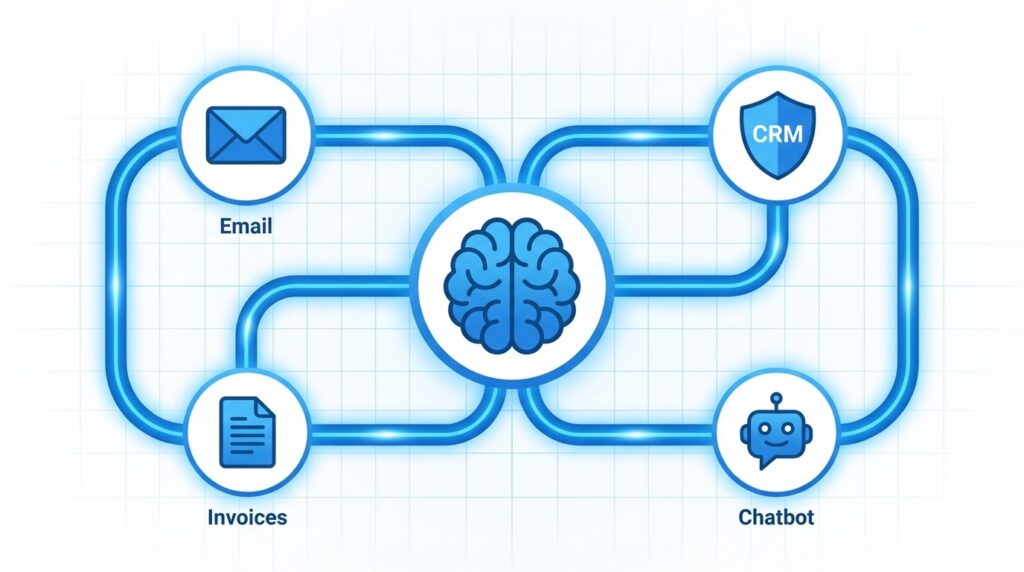
Small businesses that are not automating in 2026 are not just falling behind - they are actively paying more to do the same work that their competitors finish before lunch. The good news is that the best AI automation tools for small business have never been more accessible, more affordable, or more powerful.
According to a 2026 report by Intuit and the Initiative for a Competitive Inner City, 89% of small businesses are now using AI, especially for automating repetitive tasks. The data on ROI is equally compelling: companies that adopt automation consistently achieve positive returns within 12 months, and the average small business worker saves 5.6 hours per week using AI tools. Those numbers add up fast.
This guide breaks down the top workflow and AI-specific automation tools by use case, pricing, and fit for small business budgets. Whether you run a five-person marketing agency or a solo consulting practice, there is a stack here that makes sense for you.
Why AI Automation Is No Longer Optional for Small Business
The shift is not subtle. Adoption of AI tools among small businesses jumped from 39% in 2024 to 55% in 2025, and 2026 projections put the figure above 80% for marketing use alone. What is driving this? Results.
Research consistently shows that 58% of small businesses using AI report saving more than 20 hours per month. Another 66% report cutting monthly operating costs by $500 to $2,000. A PwC survey found that 60% of business owners said AI boosted ROI and efficiency. Those are not projections - they are outcomes already being reported by companies similar in size to yours.
The risk of inaction is also real. The cost of not automating is measured in labor hours, missed follow-ups, slower customer response times, and the compounding disadvantage of watching faster competitors pull ahead. If you want a full breakdown of that opportunity cost, our article on what businesses lose by ignoring AI walks through the numbers in detail.
The question is no longer whether to automate. It is which tools to start with.

The Best AI Automation Tools for Small Business: Workflow Automation
Workflow automation platforms connect your existing apps and trigger actions automatically. Think of them as the plumbing between your software tools - when a form is submitted, an invoice is created, a calendar event fires, or a customer tags a review, these platforms route the data and trigger the next step without anyone lifting a finger.
Make (formerly Integromat)
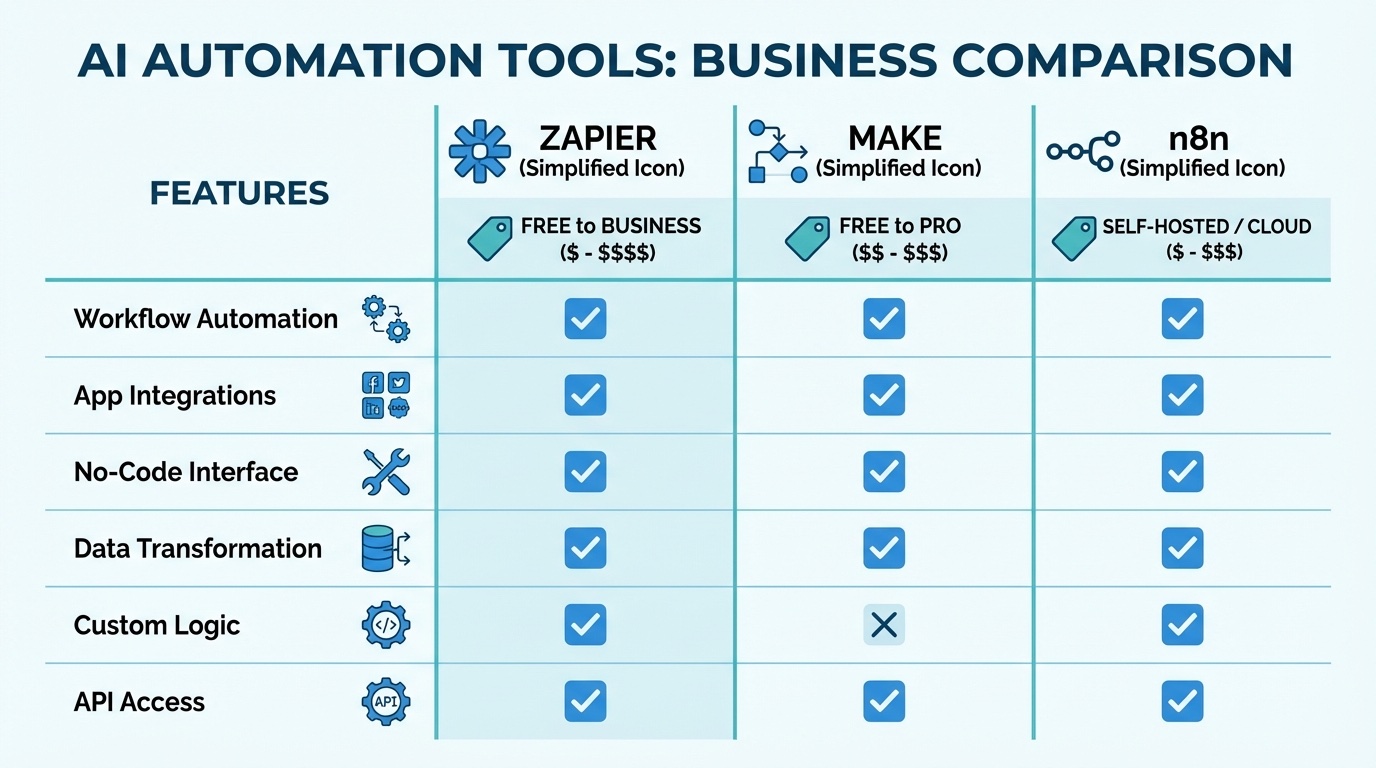
Make is the tool our research shows consistently wins on flexibility-to-cost ratio. Its visual, drag-and-drop interface handles complex, multi-step workflows with conditional logic - meaning you can build automations that branch depending on data, not just simple if-then triggers.
Best for: Businesses that outgrow Zapier's simplicity but do not want to self-host.
Pricing: Free plan available. Paid plans start around $29/month.
Standout use cases: CRM updates triggered by form fills, automated invoice generation, multi-channel notification routing.
Zapier
Zapier remains the most widely used automation platform for small businesses for one simple reason: it has integrations for over 6,000 apps, and setting up a basic automation takes about ten minutes with zero technical knowledge.
Best for: Businesses new to automation or teams without a technical resource.
Pricing: Free tier allows 100 tasks/month. Professional plans start at $29.99/month for 750 tasks.
Watch out for: Task-based pricing that scales up quickly if you have high-volume workflows.
n8n
n8n is the open-source option that gives you full control. It can be self-hosted on your own server (keeping data private and costs near zero) or run on their cloud starting at $24/month. It also has native AI agent capabilities, meaning you can build automations that use LLMs like ChatGPT or Claude to make decisions mid-workflow.
Best for: Tech-comfortable businesses that want maximum control and lower long-term costs.
Pricing: Free (self-hosted). Cloud Starter is $24/month for 2,500 executions.
Standout use cases: AI-driven lead qualification, document processing pipelines, internal data sync between tools.
HubSpot
HubSpot sits in a different category because it is both an automation platform and a full CRM. If your automation needs are tied to marketing, sales, and customer service, HubSpot's workflow tools are deeply integrated with your contact data in ways that standalone automation platforms cannot match.
Best for: Service-based businesses that want automation and CRM in one place.
Pricing: Starter plans begin at $9/seat/month. Advanced automation (Professional) starts at $890/month.
Note: The jump to Professional pricing is steep. Start with Starter and grow into it.
Activepieces
Activepieces is a newer open-source alternative to Zapier with a generous free tier and transparent pricing. The cloud plan offers unlimited tasks for $25/month (fair use policy), which is hard to beat for growing teams.
Best for: Budget-conscious teams that want Zapier-style ease at lower cost.
Pricing: Community Edition is free (self-hosted). Cloud Plus is $25/month with unlimited tasks.
Not sure which automation platform fits your business?
We help small businesses identify the right tools and set them up correctly the first time - no wasted subscriptions, no half-built workflows.
AI-Specific Tools That Go Beyond Simple Automation
Workflow tools connect and trigger. AI-specific tools reason, write, and decide. The most effective small business stacks in 2026 combine both layers.
ChatGPT API (OpenAI)
The ChatGPT API is the most versatile LLM option for building custom AI-powered tools: customer-facing chatbots, internal knowledge bases, content generation pipelines, email drafters, and more. The pay-as-you-go model keeps costs predictable for low-to-medium usage.
Pricing: GPT-4o is approximately $5 per million input tokens and $15 per million output tokens.
Best for: Businesses ready to build something custom with a developer or a no-code API builder like Zapier or Make.
Claude API (Anthropic)
Claude is the preferred option when tasks require long document processing, nuanced reasoning, or creative writing with careful tone control. Its large context window handles full contracts, research reports, and multi-page customer transcripts in a single pass.
Pricing: Claude Sonnet runs around $3 per million input tokens and $15 per million output tokens.
Best for: Document-heavy workflows, customer communication drafting, detailed summarization tasks.
Copy.ai
Copy.ai targets the go-to-market content layer: writing sales emails, ad copy, social posts, and landing page content at scale. It is not an API you build on - it is a product you use directly, which makes it accessible for non-technical teams.
Pricing: Free plan includes 2,000 words/month. Pro starts at $49/month for 40,000 words.
Best for: Marketing and sales teams that need to produce content volume without a full writing staff.
Where to Start: Matching Tools to Small Business Use Cases
The research suggests that four use cases account for the majority of time and cost savings small businesses achieve through automation. Here is how the tools map to each.
Customer Service Automation
Customer service AI delivers some of the highest ROI of any automation category - studies show up to 340% ROI from reduced support workload and improved response times. 80% of small businesses plan to integrate AI-powered customer service by the end of 2026.
Recommended stack: HubSpot Service Hub for integrated CRM-based responses, or a custom chatbot built on the ChatGPT or Claude API and connected via Zapier or Make.
Email and Follow-Up Automation
Automating follow-up sequences and personalizing email content is one of the fastest wins available. AI can analyze what a lead has done on your website, what they downloaded, and what type of business they run, then generate a personalized follow-up without a human touching it.
Recommended stack: HubSpot (if CRM-integrated) or Zapier plus an email provider plus Copy.ai for content. For the full picture on AI-driven marketing automation, see our guide on AI marketing automation for small business.
Workflow and Data Routing
The highest-volume automation wins come from eliminating manual data movement: copying data between apps, generating reports, updating records, triggering notifications. This is pure workflow automation territory.
Recommended stack: Make or n8n for complex workflows with conditional logic. Zapier for simpler connections. For a technical deep dive into how these workflows are structured, our AI workflow automation guide covers the architecture in plain language.
Document Processing and Invoice Automation
Extracting data from invoices, matching purchase orders, and routing approvals are well-solved problems in 2026. The data says that 66% of small businesses cut monthly operating costs by $500 to $2,000 through automation, and document processing is a major driver of that.
Recommended stack: n8n or Make with AI nodes connected to a document extraction API like Mindee or AWS Textract. For businesses not ready to build custom, accounting platforms like QuickBooks and Xero now include native AI-assisted invoice processing.
How to Choose the Right Stack for Your Business
The best approach is not to adopt every tool on this list. Start with one workflow automation platform and one AI writing or reasoning tool, then expand based on where you see time savings.
A practical evaluation framework:
- Budget under $50/month: Zapier Free or Starter plus ChatGPT Free tier. Automate your top two most repetitive tasks first.
- Budget $50-$150/month: Make Pro plus Copy.ai Pro, or n8n Cloud plus a CRM. Focus on lead follow-up and content production.
- Budget $200+/month: HubSpot Professional handles automation, CRM, and marketing in one place. Add Claude or ChatGPT API for custom workflows.
- Technical team available: n8n (self-hosted) plus LLM APIs is the highest-power, lowest long-term cost option on the market.
The most important variable is not the tool - it is the workflow. Businesses that define their most time-consuming manual process before picking a platform consistently see better outcomes than those that buy the tool and then try to figure out how to use it.
For a broader picture of what AI implementation actually involves, our guide on how to implement AI in small business is a good starting point before committing to any specific tool stack.
What to Expect After You Automate
The productivity data is consistent: small businesses that commit to automation see results within weeks, not months. The average time to positive ROI for automation investments is under 12 months. For the most common use cases - customer service bots, email follow-ups, and data routing - payback can happen in the first month based on labor hours recovered alone.
The compounding effect matters more in year two. Once the core workflows are automated, teams redirect their time to higher-value work: strategy, client relationships, product development. That is where the 91% revenue increase figure that SMBs report starts to make sense - automation does not just cut costs, it frees up capacity for growth.
The businesses that lag are not the ones that picked the wrong tool. They are the ones that waited too long to start. If you have been weighing the decision, the data in 2026 is unambiguous: the cost of waiting is higher than the cost of starting imperfectly.
Ready to automate your first workflow?
We identify your top automation opportunities and build the stack around your existing tools and budget. Most clients see their first win within two weeks.